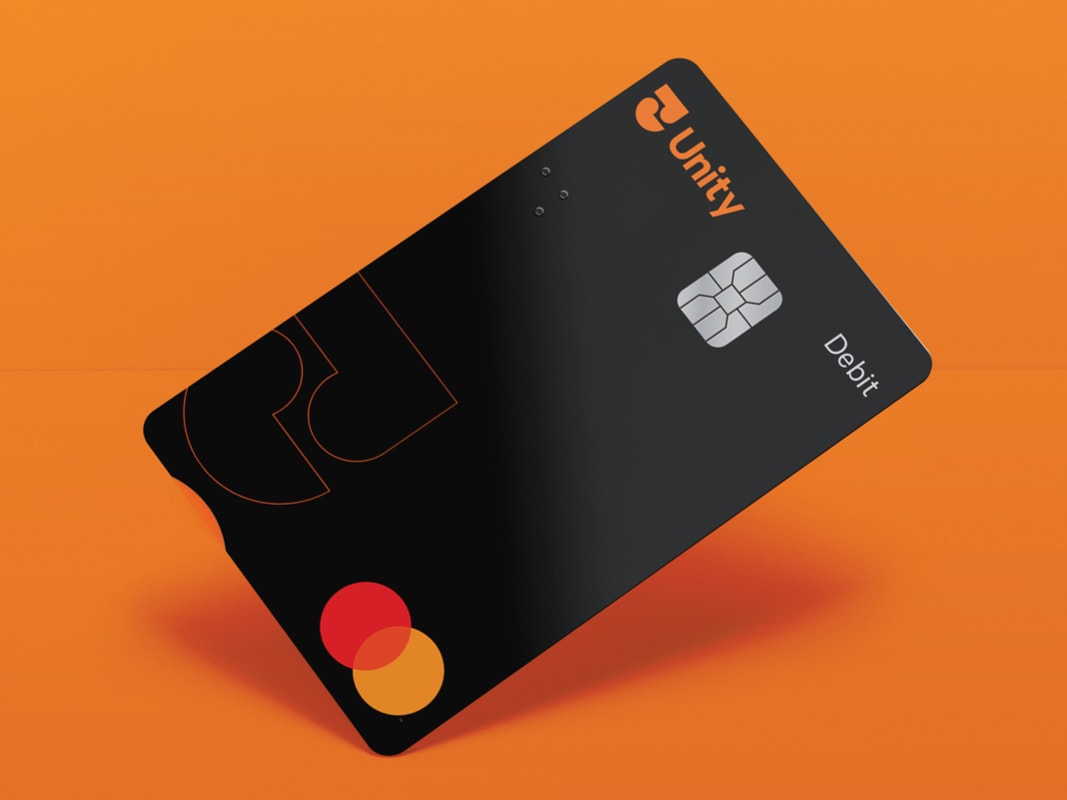
Debit Mastercard®

Secure payments, wherever life takes you.

Debit Mastercard®

Secure payments, wherever life takes you.

What you need to know:

  • Activate your card by making an EFTPOS transaction (insert card and enter PIN), or check your balance at an ATM
  • Forgot your PIN? Change it in Mobile Banking, Internet Banking, or call 0800 229 943
  • Your Access Number is now printed on the back of your card

What you can do:

  • Shop online, over the phone and in-store
  • Contactless payments
  • Use your card overseas
  • Add your card to your digital wallet
  • Link up to two accounts

Why it works:

Card features:

  • Contactless payments - Tap & go® for purchases up to $200, no PIN needed.
  • Online security (3D Secure) - Extra protection when shopping online with 3D Secure.
  • Digital wallet access - Pay straight from your phone, anytime.
  • Worldwide access - Use your card anywhere Mastercard® is accepted.

Card controls:

  • Turn contactless and online payments on or off
  • Temporarily block your card 
  • Cancel a lost or stolen card
  • View your card details

Need help?

Good to know:

  • $10,000 daily limit (online payments and using EFTPOS terminal with PIN)
  • $400 daily limit for contactless payments
  • Use is subject to the Unity Debit Mastercard® Terms and Conditions.
  • Mastercard® is a registered trademark of Mastercard International Incorporated. Service and transaction charges may apply. 
  • For lost or stolen cards call our Contact Centre on 0800 229 943. Or, when overseas, please call +64 6 826 2924 (collect).

Apply now                            

Frequently asked questions

Your new Debit Mastercard® is preloaded with your existing PIN and will be ready for you to activate. If you’d like to change your new card PIN, download the Unity Mobile Banking app from any app store. Everything you need to know will be detailed in the letter provided with your new card. 

For lost or stolen cards call our Contact Centre on 0800 229 943. Or, when overseas, please call +64 6 826 2924 (collect).

To temporarily block your Debit Mastercard® through the Mobile Banking App:

1. Select the Cards icon from the toolbar at the bottom of your screen.

2. Tap on Manage Cards.

3. Select the card you wish to temporarily block.

4. Tap the grey toggle next to Temporary Block until it turns orange. To unblock, tap the toggle again until it turns grey.

To temporarily block your Debit Mastercard® through Internet Banking:

1. Select Cards from the toolbar along the top of your screen.

2. Select the card you wish to temporarily block and click on the edit icon.

3. Select Card Settings from the pop-up options.

4. Click on the grey toggle next to Temporarily Block Card until it turns orange. To unblock, click on the toggle again until it turns grey.

5. Click Done.
For lost or stolen cards call our Contact Centre on 0800 229 943. Or, when overseas, please call +64 6 826 2924 (collect).

To temporarily block your Debit Mastercard® through the Mobile Banking App:

1. Select the Cards icon from the toolbar at the bottom of your screen.

2. Tap on Manage Cards.

3. Select the card you wish to temporarily block.

4. Tap the grey toggle next to Temporary Block until it turns orange. To unblock, tap the toggle again until it turns grey.

To temporarily block your Debit Mastercard® through Internet Banking:

1. Select Cards from the toolbar along the top of your screen.

2. Select the card you wish to temporarily block and click on the edit icon.

3. Select Card Settings from the pop-up options.

4. Click on the grey toggle next to Temporarily Block Card until it turns orange. To unblock, click on the toggle again until it turns grey.

5. Click Done.

Contactless payments allow you to tap your card to make purchases in store (instead of inserting). There may be charges associated when using contactless payments, this depends on the merchant where you are using your card. 

You can choose to insert your card to avoid the merchant surcharge and use your PIN or to turn off contactless payments through Internet or Mobile Banking. Or call us on 0800 229 943 for assistance. 

If you don't want to use the contactless and online payment options, you can turn this setting off through Internet or Mobile Banking. Or call us on 0800 229 943 for assistance. Once turned off, your card will work just like an EFTPOS card.

Yes, you can use any overseas ATM that displays the Cirrus® and Maestro® logo.

You can find our list of fees here.